

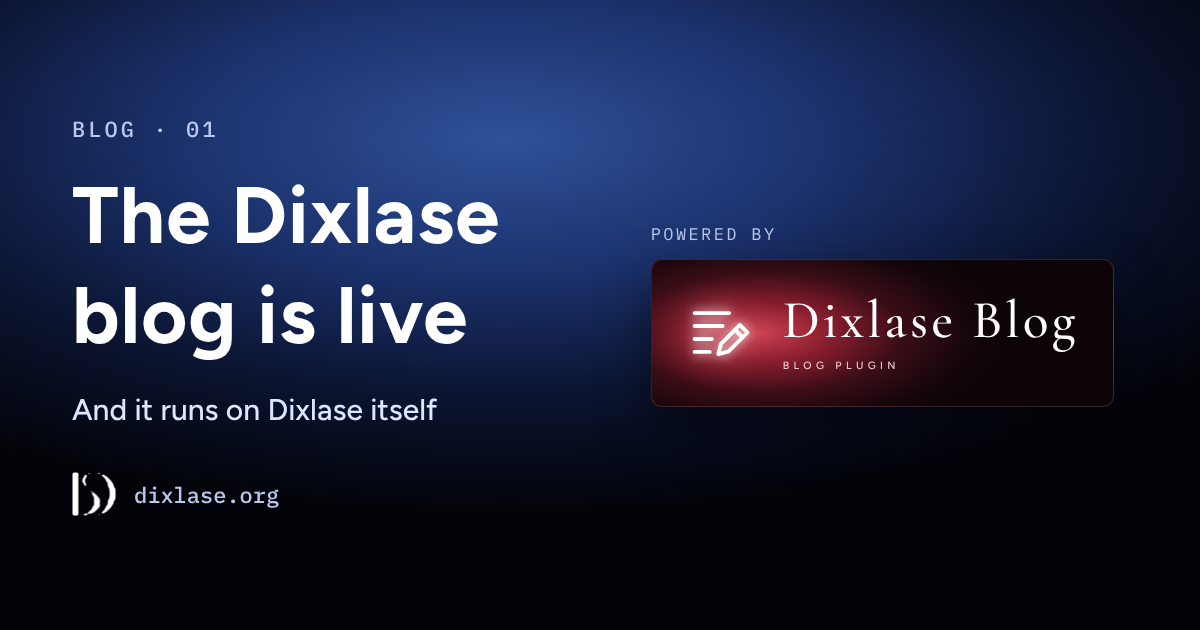
We've started a blog — and it runs on Dixlase
Hello! I'm Kashiwabara ("Kassy") from exc-D inc., the developer of Dixlase.
Dixlase is an open-source CMS from Japan with its defenses built into the core from day one.
We released the first beta on October 1, 2026.

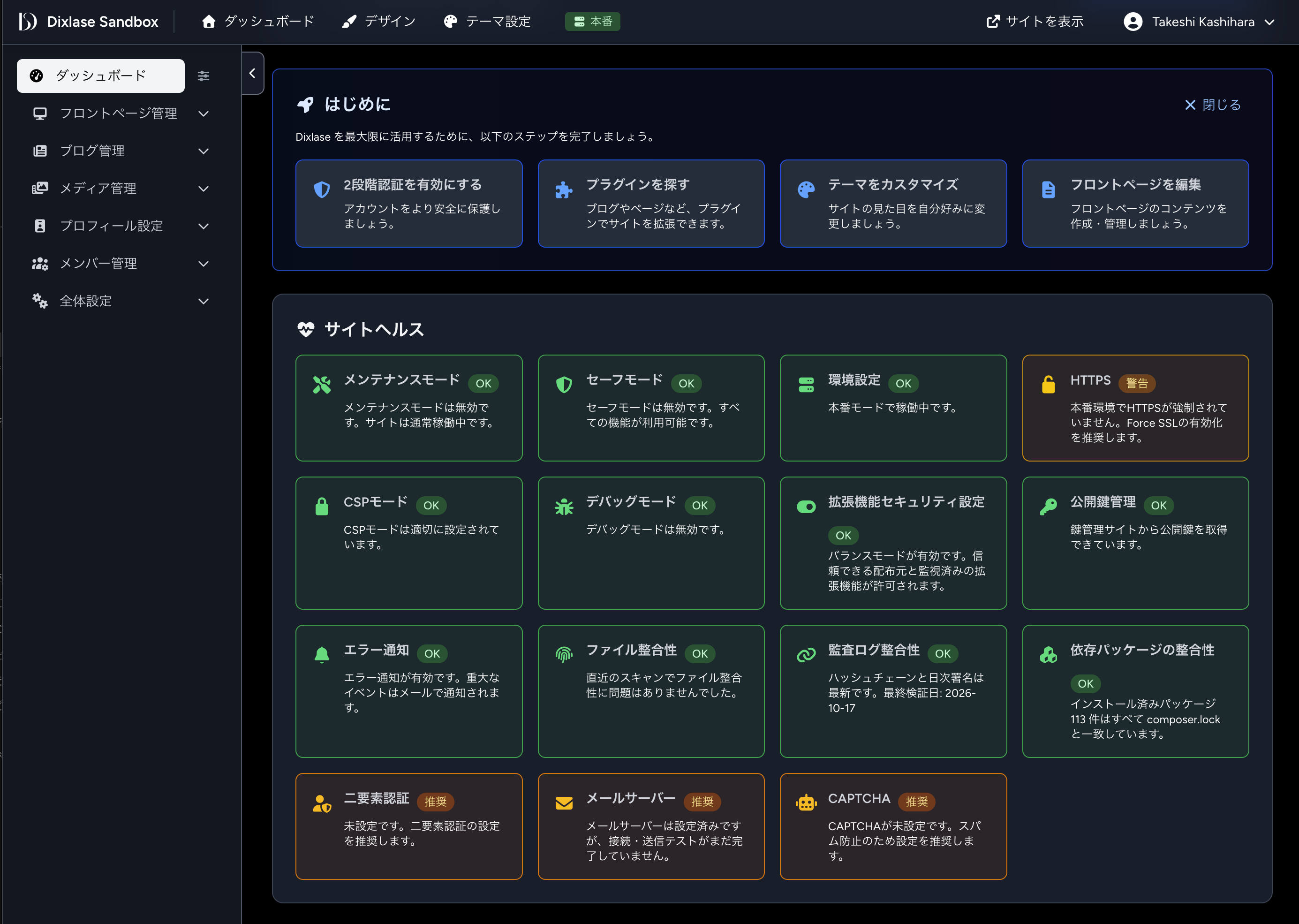
The Dixlase admin panel immediately after installation
To learn more, see "The Dixlase Philosophy."
https://dixlase.org/en/page/philosophy
On October 16, we released the beta of the Blog plugin.
The blog post editor
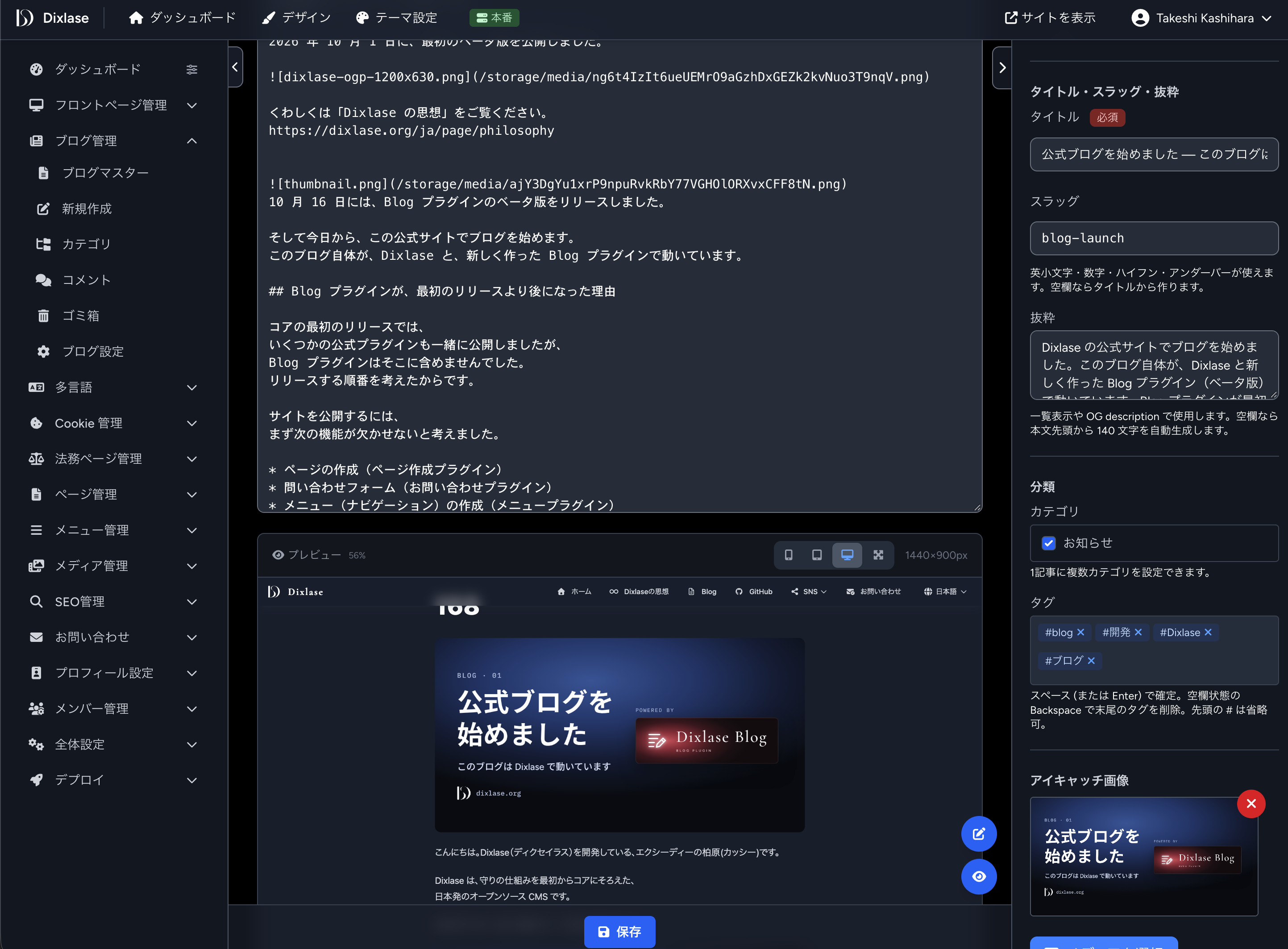
And starting today, we're writing a blog here on our official site. The blog itself runs on Dixlase, with the new Blog plugin.
Why the Blog plugin came after the first release
Our first core release shipped together with several official plugins, but the Blog plugin wasn't one of them. It was a question of order.
To launch a site, we felt these features had to come first:
- Creating pages (Pages plugin)
- A contact form (Inquiry plugin)
- Building menus (Menus plugin)
- Basic SEO settings (SEO plugin)
- Asking visitors for cookie consent (Cookie Consent plugin)
So for the first release, we focused on the plugins a site can't launch without, and decided to build the blog next.
Why we built a blog anyway
These days, many people share news and ideas on social media, and we do too — and we'll keep doing so. But social posts scroll away over time, and finding them again later isn't easy.
What we post on social media also lives on someone else's platform. When the way posts are shown, the terms, or the platform's policies change, so does how our words reach people. In the worst case, the service itself may shut down. That's no one's fault in particular; it simply comes with writing in a space that belongs to someone else.
For things we'd like people to come back to, such as the thinking behind our design and the reasons for our decisions, we wanted a place of our own, where the writing stays ours and isn't subject to another platform's decisions. That's why we built the Blog plugin. From now on, we'll use social media to let people know, and the blog to keep things. With Dixlase and the Blog plugin, you can do the same on your own site.
Owning our content
Dixlase is a self-hosted CMS that runs on your own server. Every post and image on this blog lives on our own server and in our own database. We decide where it lives, when to back it up, and which server to move it to.
That also means keeping the site safe is up to us. That's why Dixlase builds its defenses into the core from day one. Own your content, and protect it yourself — this blog is one example of what that looks like.
How this blog works
This blog runs on our official site (dixlase.org) with the beta of the Blog plugin installed. Using our own product on our own site every day is the fastest way for us to find what's awkward or broken.
The Blog plugin is still in beta. We'll keep improving it while using it right here.
What the Blog plugin can do
- Write and publish posts
- Categories (nested up to three levels, reordered by drag and drop)
- Tags
- Drafts and scheduled publishing
- Post archive pages
- RSS feed
Try it in the demo
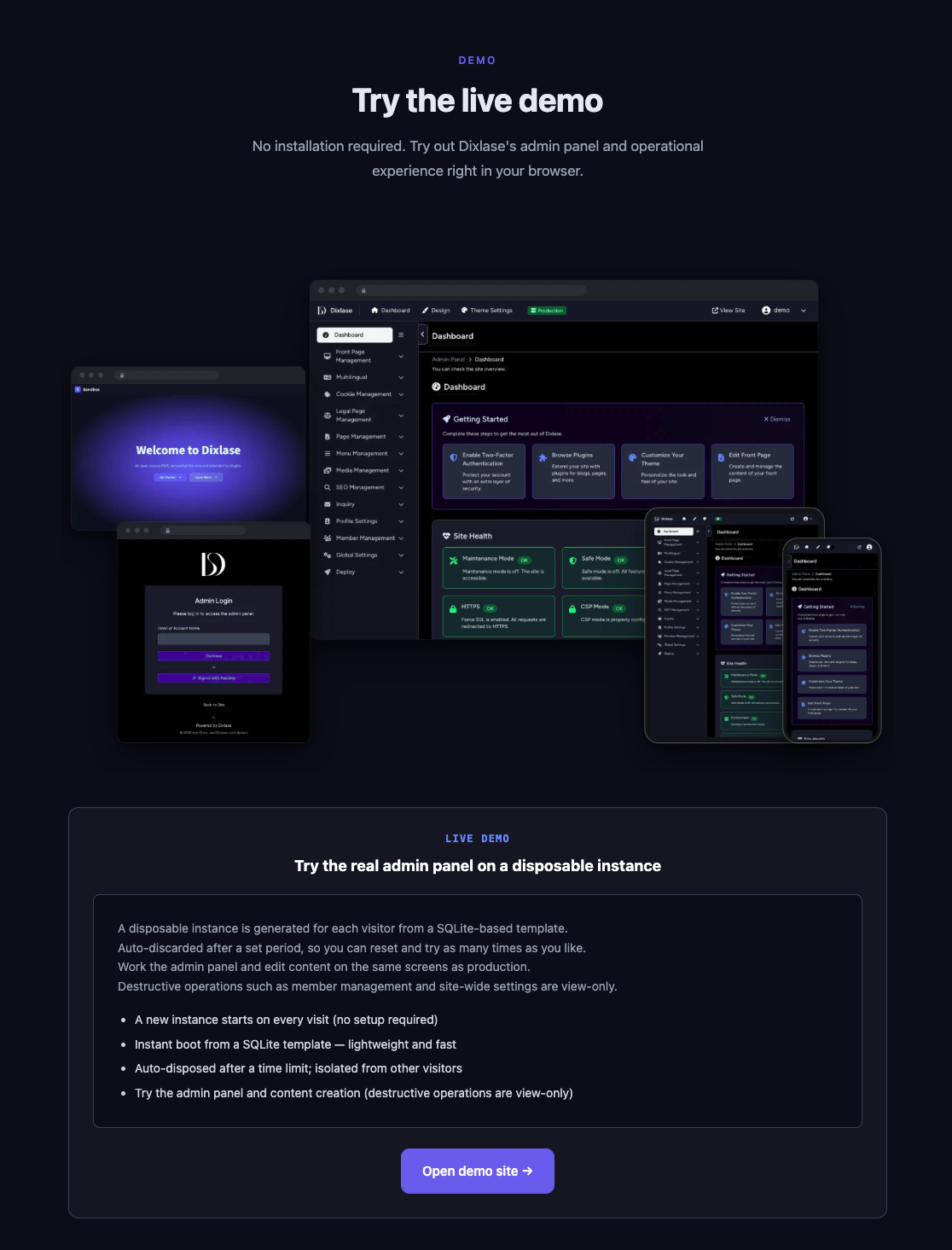
We've already added the Blog plugin to the demo site, so you can try it out there.
You can explore not just the blog, but Dixlase itself and the other plugins too.
https://dixlase.org/en#demo
How to install
1. Get the Blog plugin
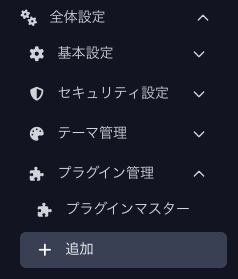
In the Dixlase admin panel, go to Global Settings › Plugin Management › Add, and download the Blog plugin.
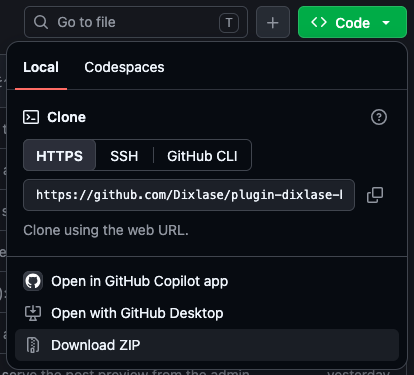
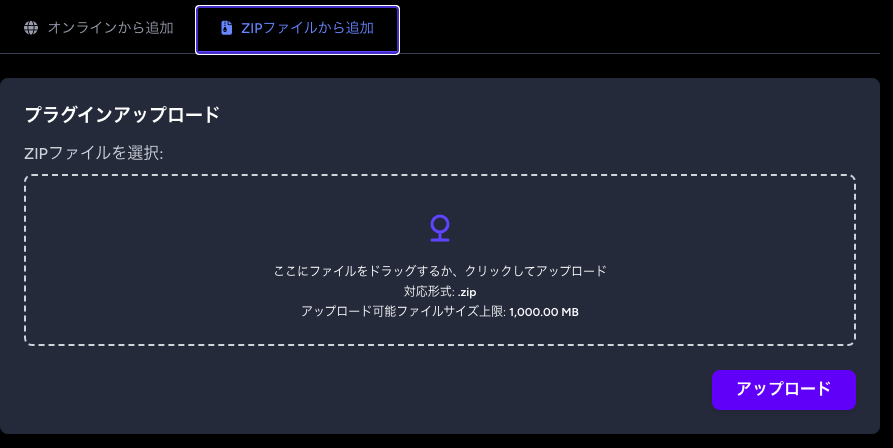
You can also download the ZIP file from the GitHub repository and upload it from the admin panel.
https://github.com/Dixlase/plugin-dixlase-blog
2. Install and activate
From the plugin list, install the Blog plugin and activate it.
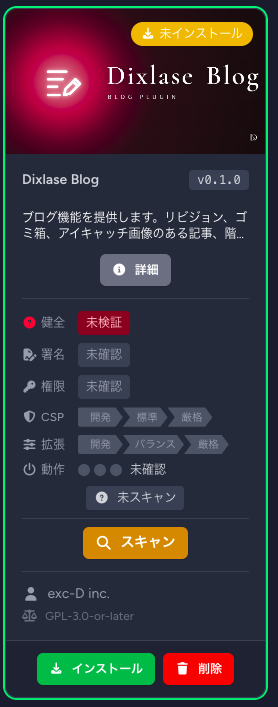
Before installing, Dixlase scans the plugin. It checks things like which features the plugin declares it will use, and whether the plugin's signature is valid.
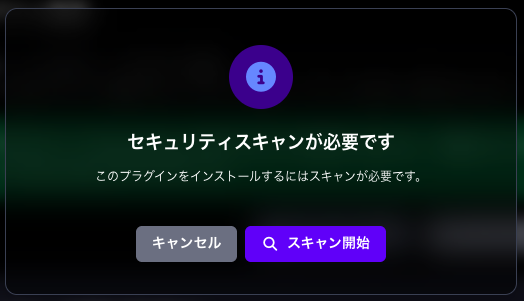
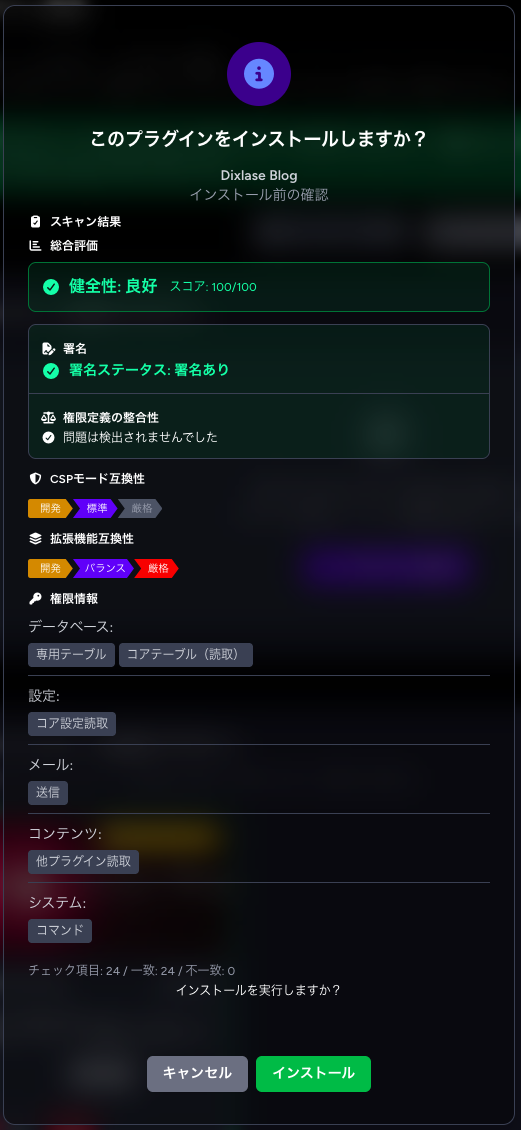
When the scan is done, you can install it.
Once it's installed, activate it.

3. Check the menu
"Blog" now appears in the admin menu. From here, try writing your first post.
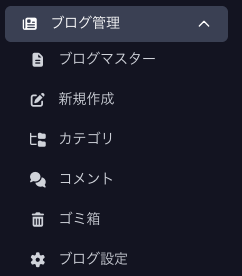
What we'll write about
We'll mainly write about four things:
- Release notes, explained: what changed and why — the story a changelog can't tell
- Design thinking: what Dixlase's defenses protect, and what they don't
- Development log: progress toward v1.0, and the decisions we struggled with
- For plugin developers: how our official plugins are built, as worked examples (after the dev kit is released)
We also write about the technical side, like how things are built with Laravel, on Zenn (in Japanese).
https://zenn.dev/dixlase/articles/5753bff3da1891
How to follow along
- RSS feed
https://dixlase.org/en/blog/feed.xml - GitHub: Watch the repository to get release notifications.
https://github.com/Dixlase/dixlase-core - Social media: We'll also announce new posts on X, Facebook, and Instagram.
X: https://x.com/dixlase
Facebook: https://www.facebook.com/dixlase
Instagram: https://www.instagram.com/dixlase
We're glad to have you here. Feedback and thoughts are always welcome — on GitHub Issues or social media.