

Philosophy of Dixlase
Features
Features
Features the core ships by default, organized around security, extensibility, and transparency.
All of these work with no additional plugins.
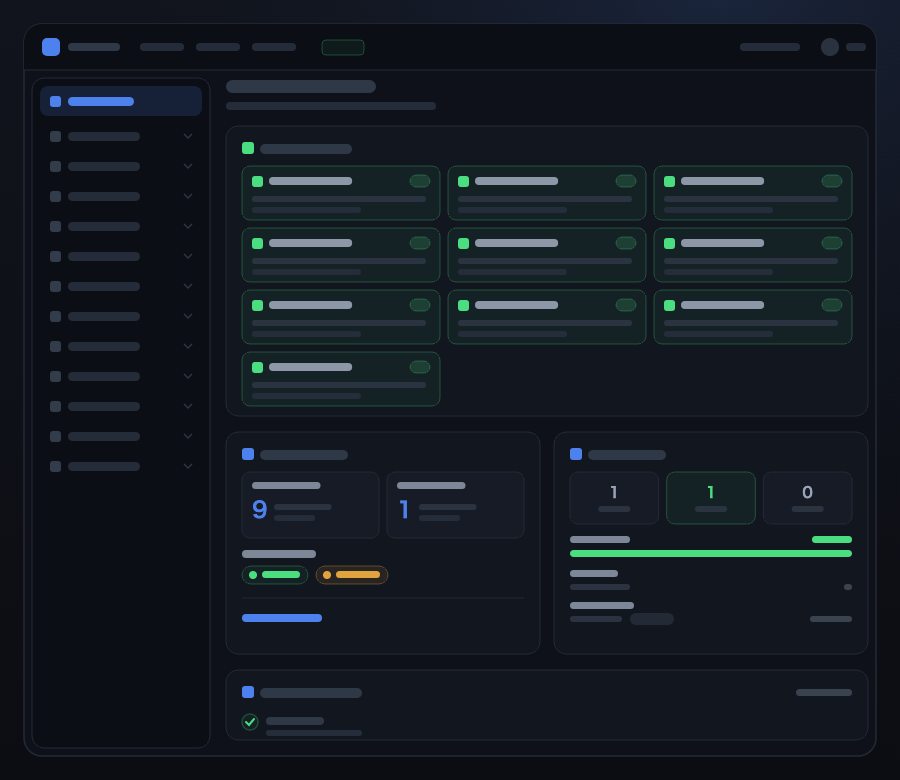
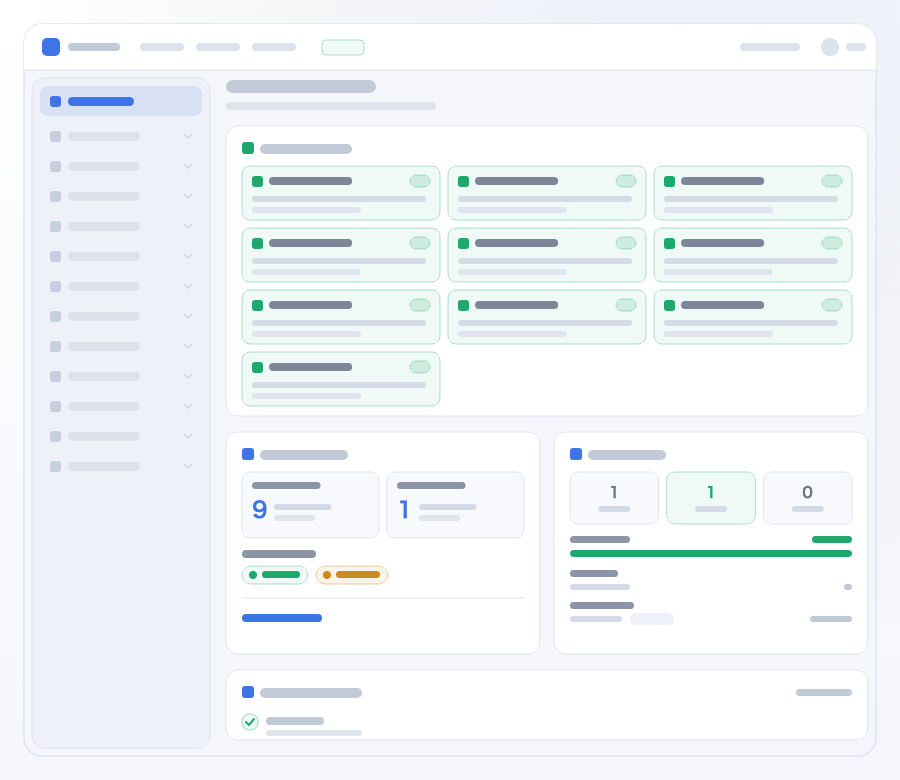
01
Multi-layered Security
Two-factor authentication via passkey authentication and email code, IP restrictions, login notifications, and role-based access control — all standard.
Includes support for the latest passwordless passkey authentication.
02
Plugin-based Architecture
The core is kept to a minimum, with every feature delivered as a plugin.
Even many of Dixlase's own features are implemented through the same API used by external plugins.
03
Self-Hosted
Your server, your data.
Deploy and run freely on shared hosting, a VPS, a dedicated server, your own on-premise hardware, or any environment of your choice.
04
Detailed Audit Logs
Every operation performed in the admin panel is recorded in structured form.
This supports operational transparency and ensures accountability when incidents occur.
05
Site Health Check
Regularly inspects your security settings, configuration, and operational state.
Detect issues early; results are output in machine-readable format.
06
Reliable Setup
Safe from the very first step.
The installation wizard guides you through environment configuration, database connection, admin registration, and initial security settings.
07
CSP Support (Content Security Policy)
Sends Content Security Policy headers by default to prevent malicious script execution.
Protects visitors from XSS and content tampering.
08
Plugin Safety — Permissions, Multi-layer Defense & Signature Verification
Plugins explicitly declare the APIs and data operations they use as permissions.
Multi-layered gates of static analysis, signature verification, and health scoring detect and block risky plugins, tampering, and spoofing at install time.
Three-Layer Defense
Entry, Contents, Execution — three layers of defense
"Who gets in," "what gets in," and "what runs" — we split security into these three layers and designed all of them as core features, with no additional plugins.
Entry
Who gets in
- Passkeys
- Two-factor authentication
- IP restrictions
- Login notifications
Contents
What gets in
- Permission declarations
- Static analysis
- Signature verification
- Health scoring
Execution
What runs
- CSP enforced by default
- Clickjacking protection
- Audit logs
Dixlase Standard Security Manifest
Security features enabled by default
These are the security features that are active the moment you finish installing — no additional plugins required. Even for features that could be added later, whether they ship enabled by default makes a real difference to security posture.
23features enabled without any additional configuration
Authentication & Accounts
- Two-factor authentication
- Passkeys (WebAuthn)
- Login attempt limiting
- Password dictionary defense
- CAPTCHA
- Emergency bypass
Two-factor authentication
Frequently required by information-security policies. Shipping it standard means procurement checklists are answered directly, with no add-on to source or vet.
Passkeys (WebAuthn)
Lets operators move to passwordless authentication without arranging it themselves. The most phishing-resistant authentication method available today.
Login attempt limiting
Brute-force attempts are blocked automatically at the CMS layer. Threshold-based lockout of the account or IP requires no changes to web-server or WAF configuration.
Password dictionary defense
Weak and known-breached passwords are rejected at registration time. Closing the entry vector removes the downstream cost of detection and containment.
CAPTCHA
Wire up an external CAPTCHA service (Cloudflare Turnstile, Google reCAPTCHA, etc.) without installing a plugin or writing customization. Works for the login screen out of the box, and the same setup carries over to other input forms — the contact plugin, for example.
Emergency bypass
Time-limited, scope-limited fallback for when the external CAPTCHA service or SMTP has an outage. A break-glass mechanism that prevents the CMS from locking its own operators out when the security dependency it relies on is the thing that broke.
Web Security & Access Control
- CSP enforced by default
- IP restriction (admin & front)
- File upload validation
- Admin URL change
- API & webhook signing
CSP enforced by default
Closes the XSS and clickjacking gap that opens up when CSP is forgotten during setup. Operators don't have to hand-configure HTTP headers.
IP restriction (admin & front)
Allowlisting works for both the admin console and the public front, closed-loop within the CMS with no reliance on web-server configuration. Staging exposure or intranet-only sites can be enforced from CMS settings alone.
File upload validation
Extension whitelist, real MIME-type detection (spoof detection), and SVG script sanitization ship as standard. Blocks file-borne XSS and executable-mimetype smuggling without additional configuration.
Admin URL change
The admin console URL is configurable via a single .env line. Not a security-through-obscurity claim — it just removes the first move of automated admin-panel scans (the /wp-login.php-style probes common against WordPress) so the actual authentication defenses take the load.
API & webhook signing
HMAC-SHA256 signatures are attached to outbound webhooks and API requests, verifiable by the receiver. Payload tampering and replay attacks in transit are locked down by an explicit spec — Dixlase API Signature Specification v1.
Plugin & Theme Trust
- Plugin & theme signature verification
- Plugin & theme permission declarations
- Health scoring
Plugin & theme signature verification
Blocks tampered or spoofed distributions at install time. The same verification logic covers both plugins and themes — the foundation for keeping the trust boundary intact as the ecosystem grows.
Plugin & theme permission declarations
Operators can see what each plugin or theme actually does before installing it. The same declarations feed straight into audit documentation.
Health scoring
Turns static-analysis results into a numeric score and auto-blocks anything below threshold. Removes reliance on operator eyeballs for the judgment call.
Operations & Audit
- Audit log
- Login notification
- Error notification
- Audit log tamper detection
Audit log
Feeds directly into internal-controls and access-history reporting. "Who did what, when" is available from day one — not something you scramble to reconstruct after an incident.
Login notification
Early detection of unauthorized access. Makes every successful login visible, cutting time-to-notice on credential leaks or takeovers from weeks to minutes.
Error notification
5xx exceptions, PHP errors, and queue failures are pushed to the administrator the moment they occur. Shifts operations from "someone watches the logs on schedule" to "the incident finds the operator" from day one.
Audit log tamper detection
Each audit-log entry is chained by hash, and every completed day is sealed automatically with an HMAC signature. Operators can verify that the logs in the database haven't been rewritten after the fact, from the command line (audit:integrity verify) and on the Site Health panel. The signing key defaults to the application key, so what this detects is tampering in the database (a dedicated key can be configured).
Integrity & Recovery
- File integrity check
- Backup
- Rollback
- Emergency lockdown
- Safe mode
File integrity check
Periodically verifies that core / plugin / theme files still match their signed distribution state. Detects post-intrusion backdoor placement and file tampering early.
Backup
Scheduled snapshots of the database and storage taken by the CMS itself. Operators can meet a backup requirement without stitching together cron, rsync, and external tools.
Rollback
An automatic snapshot is taken before every plugin/theme update, so a problematic update rolls back with a single click. Removes the "should we update?" friction and lifts the update cadence itself.
Emergency lockdown
On incident, a single click switches the whole site into a protected mode. Every activation is recorded — who / when / why — so the response itself becomes part of the audit trail.
Safe mode
When a broken plugin locks you out of the admin console, safe mode blocks the plugin's routes and preserves access to the core and admin. Sidesteps the "the update broke it and now I can't even reach the recovery UI" trap.
All of the above are enabled out of the box, without any additional configuration. Many other security features also ship as standard beyond the items shown here. Full specifications and verification steps are in SECURITY.md.
Standards Alignment
Alignment with major guidelines
How Dixlase's default security implementations map to the web-security recommendations of the US NIST, international OWASP guidance, and Japan's IPA.
| Measure | NIST | OWASP | IPA |
|---|---|---|---|
| Multi-factor authentication (MFA / 2FA) *1 | Required at AAL2 and above (SP 800-63B) | Strongly recommended (SMS discouraged) | Strongly recommended |
| Password strength (length & complexity) *2 | Minimum 8 characters (SP 800-63B §5.1.1.2). Length preferred over composition rules | Minimum 8 characters, 12 or more for high-security use (Auth Cheat Sheet). Length first, avoid forced complexity | 10 characters or more recommended |
| Dictionary / breached-password defense *3 | Match against known-breached lists required (SP 800-63B §5.1.1.2) | Same rejection guidance | Reject previously breached passwords |
| Login attempt limiting (lockout) | Lockout or delay required (SP 800-63B §5.2.2) | Rate limiting or account lockout | Lockout after threshold recommended |
| Login notification *4 | Notification to user recommended | Listed as effective | Recommended as anti-unauthorized-access measure |
| Session management (expiry, re-auth) *5 | Session lifetime and re-authentication specified | Thorough session management incl. Secure attribute | Session timeout recommended |
| CAPTCHA *6 | Not specifically prescribed | Recommended to complement rate limiting | Noted as effective against bots |
| Safe password reset flow *4 | Requires secure channel and identity proofing | Use alongside MFA and notification | Expiring email links etc. |
| TLS enforcement (HTTPS) *7 | Transport encryption required | Prohibit HTTP, enforce TLS | Always-SSL recommended |
| Login history visible to user *8 | No explicit requirement | Recommended as best practice | Desirable that the user can review |
| Ambiguous authentication errors | Same recommendation | Generalize error messages | "Username or password is incorrect" form |
| CSP and security headers by default | HTTP security headers recommended (SP 800-53 SI-10) | Top 10 A05:2021 / CSP Cheat Sheet | Cited as XSS mitigation in the Secure Web Site guide |
| Access control (IP restriction, RBAC) | AC-3 (access control) / AC-6 (least privilege) (SP 800-53) | Top 10 A01:2021 (Broken Access Control) | Minimize admin-surface exposure and separate privileges |
| Audit-log capture and protection | AU-2 (logging) / AU-9 (log tamper protection) (SP 800-53) | Top 10 A09:2021 / Logging Cheat Sheet | Records retention required by the ISM standard |
| File upload validation *9 | No specific provision | File Upload Cheat Sheet | Cited as file-borne XSS mitigation |
Of the 23 features listed in the Manifest, these 15 are the ones the major guidelines recommend. Dixlase ships all of them as default features.
*1 Dixlase's 2FA is optional by default, with an option to enforce it for all users. Email OTP is not recognized as an AAL2 authenticator by NIST SP 800-63B, so strict AAL2 compliance requires the use of passkeys (WebAuthn).
*2 For ease of initial setup, Dixlase's default minimum password length is 8 characters. The minimum can be changed from the admin console, and we recommend raising it to 12 characters or more once the site is in operation.
*3 Breached-password checking uses an external API (Have I Been Pwned), but the password itself is never transmitted — only the first 5 characters of its SHA-1 hash are sent, following the k-Anonymity model. Passwords never leave the system.
*4 Features that send email (login notification, password reset) require the mail server (SMTP) to be configured in the admin console before they can actually deliver messages.
*5 Dixlase's default session lifetime is 120 minutes (configurable from the admin console). NIST SP 800-63B AAL2 requires a 30-minute inactivity timeout and a 12-hour absolute cap, so for AAL2 compliance we recommend shortening the session lifetime.
*6 Using a CAPTCHA service requires a separate account with the provider (Cloudflare Turnstile, Google reCAPTCHA, etc.) and obtaining a site key / secret key.
*7 TLS certificates must be obtained and configured at the server / domain level (Let's Encrypt, commercial CAs, etc.). Dixlase then handles HTTPS enforcement and HSTS headers against those certificates, but these are opt-in from the admin console (default: off).
*8 Dixlase itself does not provide a user-facing login-history view. Login activity can instead be tracked via login-notification emails and the passkey device management UI (Profile > 2FA management).
*9 File-upload validation covers the media library pipeline. If a plugin implements its own upload mechanism, Core does not enforce validation on it — coverage depends on the plugin's own implementation.
NIST (National Institute of Standards and Technology)
The US federal technical-standards agency under the Department of Commerce. The de facto standard for US government procurement and widely cited internationally.
References: SP 800-63B (Digital Identity Guidelines — Authentication), SP 800-53 Rev. 5 (Security Controls Catalog)
OWASP (Open Worldwide Application Security Project)
An international open-source community focused on web application security. Essential reference for web engineers worldwide.
References: OWASP Top 10 (2021), OWASP Cheat Sheet Series
IPA (Information-technology Promotion Agency, Japan)
An incorporated administrative agency under Japan's METI; the leading authority on domestic web-security standards, cited in almost every Japanese procurement or audit checklist.
References: "How to Secure Your Web Site" (Japanese), "10 Major Security Threats" (Japanese)
Philosophy
Philosophy
Not a CMS chasing trends — a foundation built to be used and maintained for the long term.

01
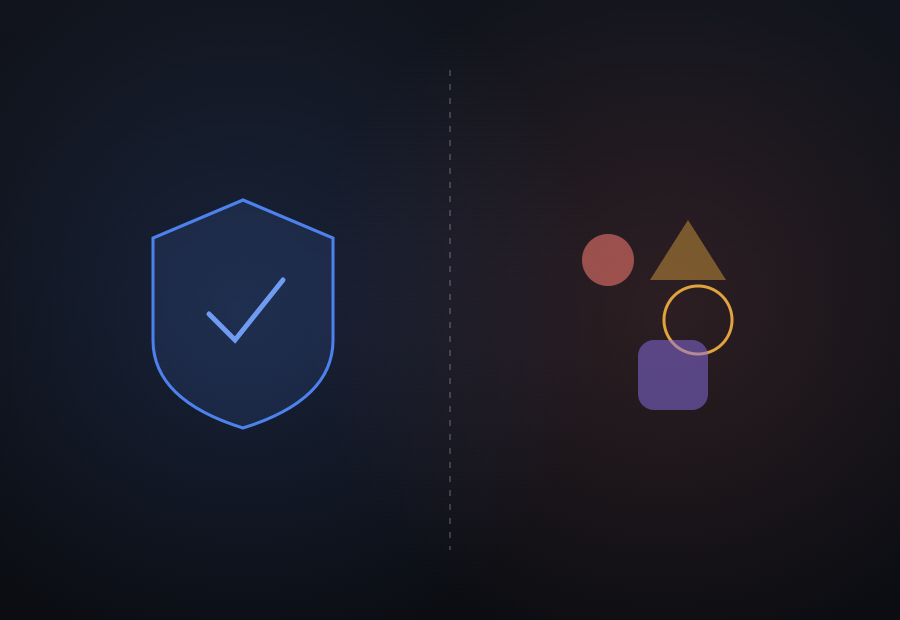
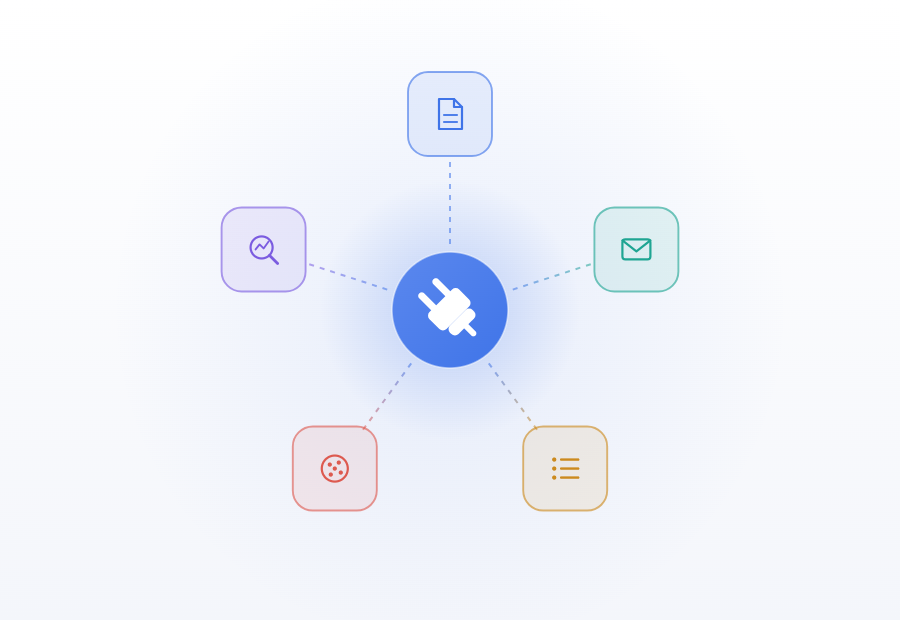
Defense by the Core, Freedom in Expression
"Defense" — security, tamper detection, access control, signature verification — is entirely the core's responsibility. How content is expressed and edited, on the other hand, is where we give users the greatest possible freedom.
"Defense = handled by the core," "Expression = freely extended" — this division of responsibility expands the diversity of expression without sacrificing safety. Because the core takes care of security, operators can focus on creating, editing, and running their content.
02
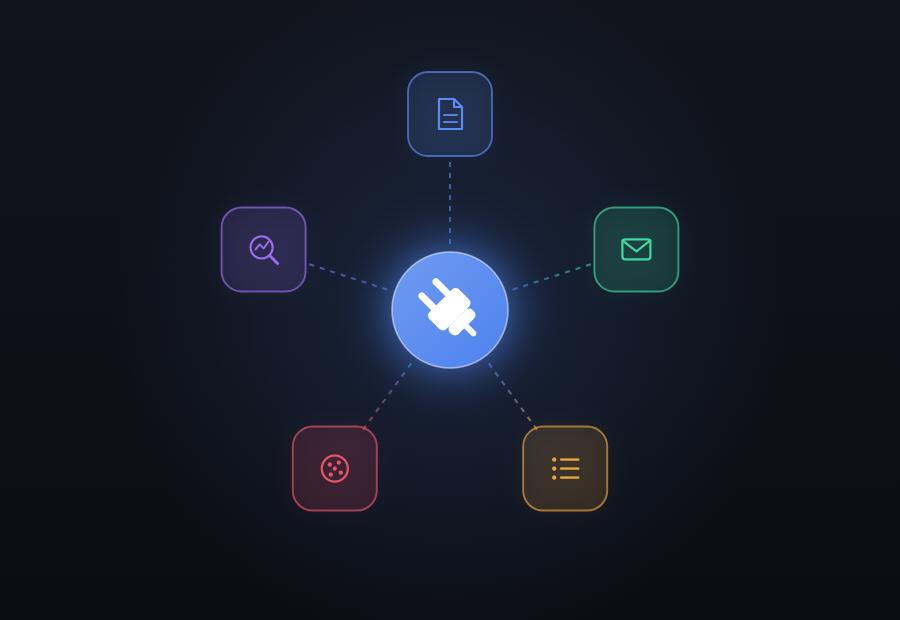
Minimal Core, Maximally Extensible Plugins
Every CMS mixes features everyone needs with features only some people need. Cram it all into the core and it becomes dead weight for those who don't use it, while the upkeep falls on everyone.
Dixlase went the other way.
The core stays focused on security, front-page editing, user management, permission management, and the Plugin API, and everything else — blogs, inquiry forms and the rest — ships as a plugin.
Standard features run through that same API, so the ecosystem's foundation forms naturally.
03
Built for the Long Run
A website runs for 3, 5, 10 years. Rather than easy initial setup, Dixlase prioritized a design that endures long-term operation — stable data structures, backward compatibility, and explicit deprecation processes.
It's precisely because you have the freedom to leave at any time that there's meaning in choosing to stay.
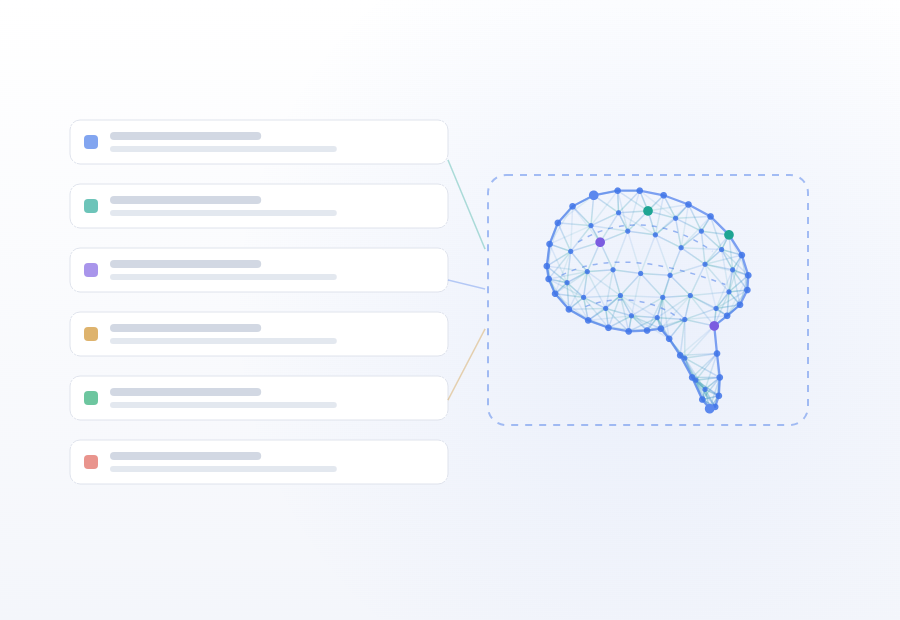
04
Designed with AI Compatibility in Mind
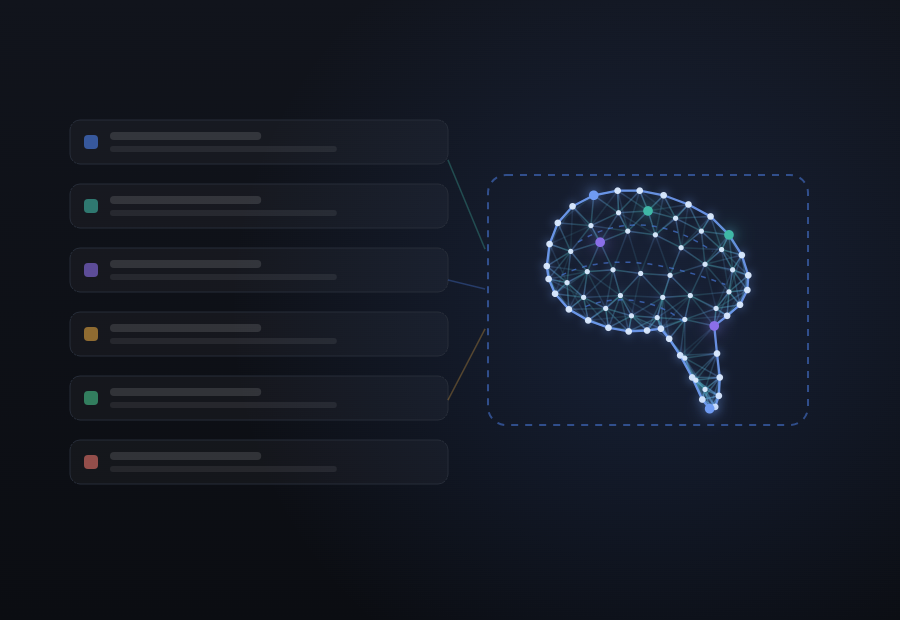
We keep operation logs and diagnostic results in structured forms so external tools and AI can work with them. This isn't about building AI features into the CMS — it's about reserving room within the CMS for AI to step in.
We're preparing from the design stage so that when new integration protocols like MCP arrive, we can respond without rebuilding the CMS itself.
Values
Values
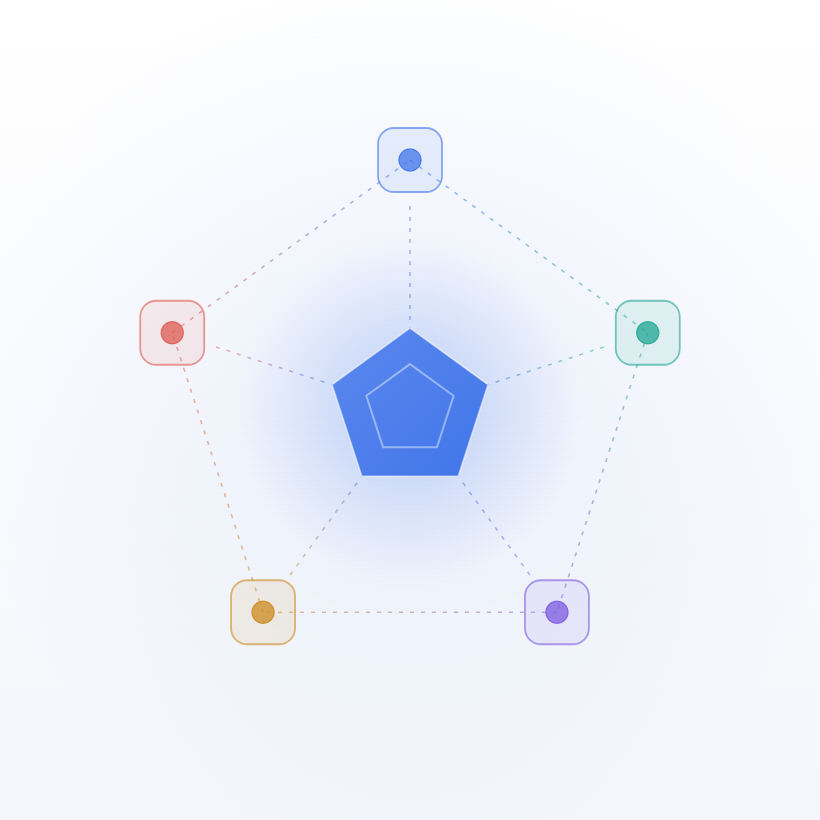
Five foundations support one another, and "Freedom" blooms on top.
Safety
Security-first design that anyone can use with confidence. We secure high-level safety on top of Laravel's robust design and modern authentication foundations.
Fairness
Whether you're a company, freelancer, educational institution, or local government, we're building contribution rules and certification programs so anyone can participate under fair rules and with proper support.
Transparency
We clearly state operational rules around governance, trademark use, and license tiers, providing an environment where users and developers can participate with confidence.
Extensibility
A design where you keep the core minimal and freely combine only the features you need. We support all approaches — plugins, code, and settings.
Sustainability
By building paid plugins, licenses, and support programs, we form an economic ecosystem where developers, contributors, and partner companies can stay involved over time.

And above all
Freedom — to use, modify, and self-host
Dixlase complies with GPL/AGPL and respects the freedoms of OSS.
What we mean by freedom, concretely, is three things: freedom to use (anyone can run it, at no cost), freedom to modify (you can read the code and change it), and freedom to self-host (run it on your own server, keep your own data — no SaaS dependency).
Data is stored in a standard RDBMS (MySQL / MariaDB / SQLite), and the schema is published under AGPL as well. Your access to your data doesn't depend on the vendor staying in business.
A license alone doesn't make these real — safety, fairness, transparency, extensibility, and sustainability all have to hold as well before any of the three has any substance.
Who it's for
Who It's For
Where Dixlase — built around security and long-term operation — is at its strongest.

For Public
Local Governments & Educational Institutions
Self-hosted, so personal data never leaves your control.
Code and data both transparent — for public-sector organizations handling resident or student information.
For Enterprise
Security-critical organizations
Meet the requirements your information-security policy defines — with no additional plugins.
Audit logs, access control, and CSP all ship standard.
For Agencies
Web Agencies & Freelancers
Vet the security of every plugin and theme with the built-in health score and signature verification — before it goes into a client site.
Also fits Of course, Dixlase also works well for SMBs & sole proprietors, NPOs & communities, and blogs & personal sites.
License
AGPL × Commercial — Dual License
Choose either the freedom of OSS or the flexibility of commercial use.
The core is AGPL-licensed, free for anyone to use, modify, and redistribute.
For cases where you want to keep modified core code private (e.g., SaaS offerings, embedding into closed-source products), a commercial license is also available.

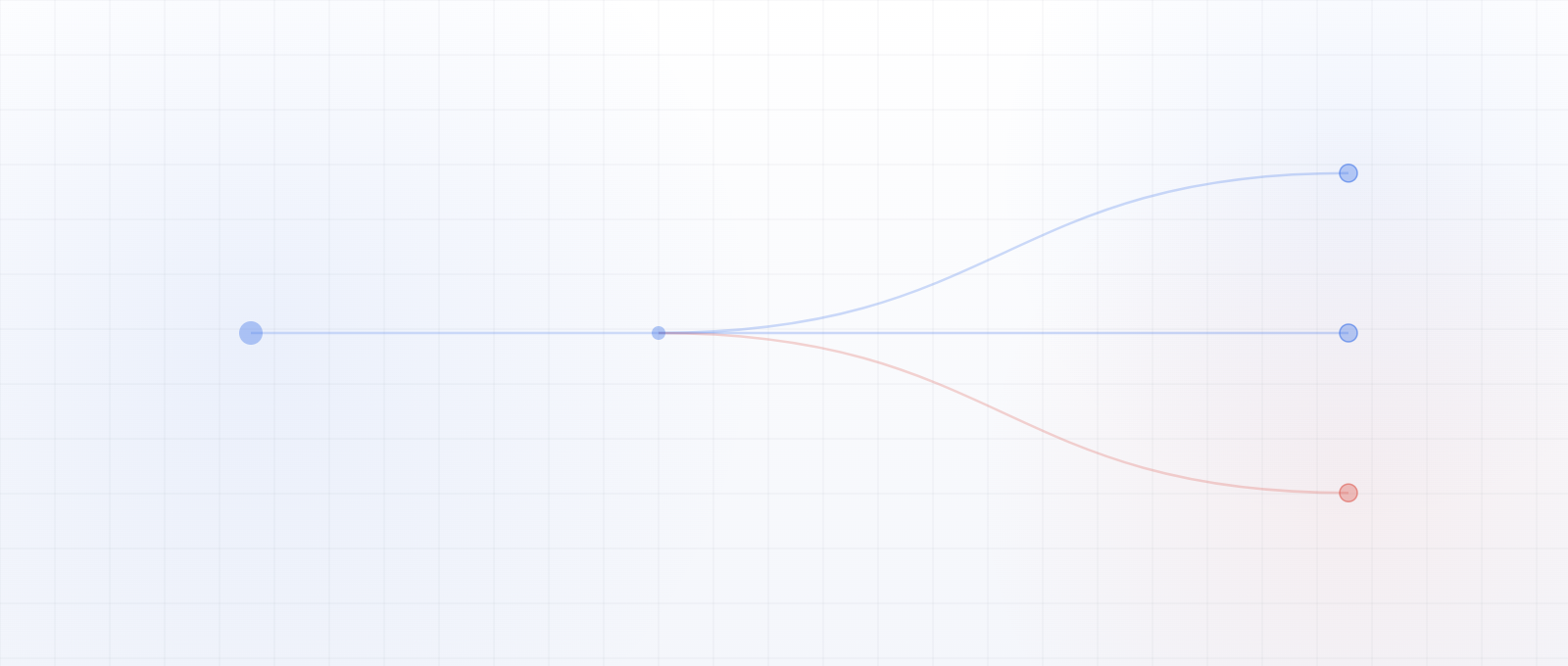
the core?
(extend via plugins/themes) → AGPLNo disclosure
Official Plugin License
Official Plugin License
Official plugins adopt a dual license of GPL × Commercial.
By keeping it on a separate track from the core, developers and users can each choose the option that fits their purpose.
Third-party plugins, under the Plugin & Theme Exception, may be released under any license their author chooses.
No source disclosure even for plugins that accept user input
For plugins that accept user input — blogs, forms, comments — GPL, unlike AGPL, triggers no source disclosure obligation on account of user input.
No license propagation where plugins use the core's AGPL features
Where a plugin calls the core's AGPL features, the Plugin & Theme Exception (LICENSE-EXCEPTIONS) applies, so the license does not propagate. Plugins can be distributed independently under GPL or a commercial license.
For client projects: use as-is or modified — both are fine
GPL plugins are fine to use as-is in client projects, or to modify to fit requirements.
No AGPL-style disclosure to all visitors arises.
When you deliver a modified version to a client, GPL requires providing the source to the recipient (the client), but since a PHP plugin is itself the source deliverable, this is usually satisfied at delivery with no extra step.
Modifying the core (AGPL) triggers disclosure to every visitor
If you modify the core (AGPL) and make it reachable over a network, AGPL section 13 obligates you to offer the Corresponding Source to every user of the running site.
For when this obligation does and does not apply (local development and internal use are exempt) and how to avoid it, see the FAQ "If I modify the core, when does the disclosure obligation arise?".
AGPL
When to choose AGPL
- Client work (without modifying the core)
- Building a personal blog or website
- Running your own site or internal use (without modifying the core)
- Development premised on contributing back to the OSS community
When to choose the Commercial license
- SaaS or hosting business based on a modified version
- Client projects that keep a modified version private even on a public site
- Embedding into commercial products that require closed source
The commercial license is not yet available at initial release. We're currently preparing to launch it.
Read the License Texts
Status & Roadmap
Status & Roadmap
Where we are and where we're headed — published in clear phases.
v0.x — In development toward the initial release
The core features and some official plugins are working.
API stabilization, documentation, and community-operation preparations are progressing in parallel.
Development is currently led by exc-D inc.
We plan to accept external contributions to the core in the future,
but for now we're prioritizing core stabilization and want to gauge how operations settle after the initial release before deciding when to open submissions —
so we're not accepting code PRs yet, and welcome bug reports and feedback via Issues.
Toward v1.0
- Improving the Plugin API (changes announced in the CHANGELOG first)
- Bug fixes in the core and plugins
- Documentation (installation and operations guide, Plugin API reference)
Planned for after v1.0
- Ongoing bug fixes and performance improvements
- Extending audit-log tamper detection (scheduled verification, verification from the admin panel)
- Expanding the official plugins (blog, custom post types, custom fields, etc.)
- CSP strict mode support
- Commercial license offering
- Building structures for commercial plugins and paid support
- Freezing the Plugin API (announced once the design has settled, not tied to a version number)
- Finalizing the CLA after legal review and opening up external code contributions
- Various other features and concepts under consideration
This roadmap shows Dixlase's direction, but it may change as circumstances evolve.
We'll announce significant changes in advance.
Built on Laravel
Dixlase is built on the modern PHP framework Laravel. By grounding the CMS in Laravel's globally trusted, robust design and rich ecosystem, we ensure safety, maintainability, and extensibility right from the start.
If you're a Laravel developer, you can start building plugins and themes right away using the patterns you know. MVC structure, Blade templates, Composer-based dependency management — everything works just as you'd expect.
For Developers
For Developers
Dixlase is a CMS we grow together with developers. The plugins, themes, and integrations you build will shape Dixlase itself.
Read the code on GitHub
Examine the architecture, coding conventions, and the reasoning behind design decisions.
Read the Plugin API design
The boundary between core and plugins, and how the exception clause stops AGPL from propagating — worth understanding before you start building.
The Plugin API is published but not frozen yet. If a breaking change becomes necessary, it is announced in the release notes with a migration path wherever one can be given.
Wait for the documentation site
The documentation site, with the Plugin API reference and tutorials, is coming soon alongside the Plugin & Theme Development Kit.
Discuss via Issues
Bug reports, feature requests, and design discussions are welcome.
About contributions — the entry points that are already open
There are six ways to participate in Dixlase. Only one — code PRs to the core — is still being prepared; the other five are all open.
| Area | Status |
|---|---|
| Bug reports & feature proposals (GitHub Issues) | Open |
| Reporting mistakes in docs or translations | Open |
| Vulnerability reports (SECURITY.md) | Open |
| Independent plugin & theme development | Fully open (no CLA required, choose any license) |
| Code PRs to the core | In preparation |
For questions, please use the contact form.
Conditions for opening core code PRs (we manage this by conditions, not deadlines):
- A legally reviewed CLA is finalized
- Contribution guidelines and a review workflow are in place
- The AI-assisted-code policy is operational
We'll open contributions as these come together. Progress will be announced in the release notes.
When proposing a feature, please keep the design philosophy on this page in mind — including whether it belongs in the core or could work as a plugin. For security vulnerabilities, avoid public Issues and follow the process in SECURITY.md (a private report to security@dixlase.org). Our policy on AI-assisted code and Issue handling is documented in CONTRIBUTING.md.
The documentation site is coming soon, alongside the Plugin & Theme Development Kit.
It will include the core architecture, the Plugin API reference, and development tutorials.
Trademark
About Trademarks
The "Dixlase" name and logo are
currently pending trademark registration in Japan.
Origin of the name — "Dixlase" carries the D of exc-D, the L of Laravel, and the S of Security, Safety, and Sustainability. A CMS built by exc-D on top of Laravel, with security and sustainability at its core — that is the meaning behind the name and the logo.
Both notations of the name — the Latin "Dixlase" and the Japanese katakana "ディクセイラス" — and the brand logo are currently pending trademark registration by exc-D inc. While registration is in progress, please use the name and logo with care to preserve brand consistency and prevent confusion.
We will announce trademark registration completion and publish usage guidelines once registration is finalized. For trademark inquiries, please contact exc-D inc.
FAQ
Frequently Asked Questions
v0.x status, licensing, support, long-term plans — we answer the questions visitors commonly have.
At this point (v0.x), we don't strongly recommend full production use. The core features and some official plugins work, but API stabilization and documentation are still in progress. While in v0.x, later releases may include breaking changes; every change is listed in the CHANGELOG.
It works fine for evaluation, validation, internal tools, and plugin-development practice. We recommend production use after the v1.0 release. Feedback from early adopters is reflected directly in our development.
Yes, it's free. Dixlase's core is released for free under the AGPL license, and anyone can freely use, modify, and redistribute it. Official plugins are also provided free under GPL.
However, when you modify the core and want to keep the modified source code private — as in the cases below — you'll need to consider a separate commercial license:
- SaaS or hosting business based on a modified version
- Client / agency projects that build a public site on a modified core and need to keep the modification private
- Embedding into commercial products that require closed source
- Enterprises or government bodies that need to keep a modified core private to meet their security requirements
If you operate Dixlase without modifying the core — adding functionality via plugins and themes instead — no source disclosure obligation applies.
AGPL (Affero General Public License) is a copyleft open-source license — GPL plus a "network clause." The Dixlase core is published under AGPL version 3.
Under ordinary GPL, the obligation to publish source arises when you distribute a modified version. But when a modified version is not distributed and is instead offered as a service over a network, that is not considered distribution, so it can be operated without ever publishing it. AGPL section 13, "Remote Network Interaction," closes this loophole by also requiring you to offer the source when the modified version is made reachable over a network.
The precise terms are defined in AGPL section 13, "Remote Network Interaction." For details, see the official GNU AGPL-3.0 text.
Dixlase chose the AGPL for its core to keep improvements out in the open.
GPL copyleft is triggered by "distribution", so when a modified version is not distributed but offered as a service over a network, there is no obligation to publish its source. The more common that becomes, the more improvements are used without ever being published. AGPL Section 13 closes that gap by also requiring that users who interact with a modified version over a network be offered its Corresponding Source.
Section 13 comes into play when a modified version of the core is made available over a network. Web agencies and ordinary users who install the core unmodified and add features through plugins and themes incur no source-publishing obligation under this clause (for how plugins and themes are licensed, see the FAQ entry "What is the Plugin & Theme Exception (LICENSE-EXCEPTIONS)?").
In the future, we plan to offer a commercial license as a path for keeping modifications private (not available at initial release — see the FAQ entry "When will the commercial license be available?").
If you modify the Dixlase core and make the modified version reachable over a network, AGPL section 13 obligates you to offer the Corresponding Source to every network user of the running site. "Users" here is not limited to administrators or logged-in accounts — it includes anonymous visitors who only browse public pages. As long as the core is modified, the entire running instance is the "modified version," so even a visitor merely viewing the front page or a plugin-generated page is covered.
Whether the obligation arises comes down to two questions: has the core been modified, and are there users interacting with the modified version over a network. Concretely:
- Local prototyping, customization, bug fixes, or security-patch development — anything running only on your own machine → no disclosure obligation
- Internal-only deployment → no obligation to the general public (only an offer of source to your internal users)
- A modified core run as a public website — whether your own site, a personal site, or a client project → the disclosure obligation to every visitor does apply (operator identity and commercial/non-commercial status are irrelevant)
- Not modifying the core, adding functionality through plugins and themes instead (including modifying the plugins or themes themselves) → no disclosure obligation (covered by the Plugin & Theme Exception)
- Acquiring a commercial license → the obligation is waived
Dixlase is designed for functionality to be added through plugins and themes, so a typical client project rarely needs to modify the core itself. If you want to keep a modified core private while running it as a public site, consider acquiring a commercial license.
Running your own site, internal use, client website projects, and development premised on OSS contribution are all fine under AGPL as long as you don't modify the core. Adding functionality via plugins and themes is Dixlase's intended pattern.
For adding content-generation features or a contact form, we recommend using or developing an official plugin; to change the design, using or building an official theme. Both are provided under GPL and a commercial license, so whether you use them as-is or modify them, no obligation to disclose source to the general public arises. When using a third-party plugin or theme, check the license from its distributor.
On the other hand, if you want to run a modified core while keeping its source private, or embed it in a closed-source commercial product, please consider a commercial license. For when the disclosure obligation applies (local development and internal use are exempt), see the FAQ "If I modify the core, when does the disclosure obligation arise?," and if you're unsure, contact us.
We plan to offer a commercial license, but the contract terms and pricing are still being finalized. We'll announce details as soon as everything is ready.
If you'd like to evaluate it early, please contact us. Tell us your intended use cases and requirements, and we can offer priority notification when the license becomes available.
At initial release, the focus is on features built into the Dixlase core itself (security, authentication, the front page, audit logs, etc.), plus five official plugins shipping alongside it: Pages, Inquiry, Menus, SEO, and Cookie Consent. More advanced plugins — blog, custom post types, custom fields, and so on — will be released as each one is ready, and we'll keep expanding the lineup after v1.0.
The third-party plugin ecosystem is in the phase of growing with the community. The Plugin API is already published, so Laravel developers can start building right away. Changes during the beta are announced in the CHANGELOG.
Yes, new development is possible. Dixlase will provide a Plugin & Theme Development Kit as a plugin. Once installed, it gives you scaffolding, build support, and API references — letting you get started quickly.
Combined with the published Plugin API, Laravel developers can implement features in the patterns they already know.
As long as you implement within the boundaries of the Plugin API, the Plugin & Theme Exception means the AGPL requirements do not apply to the plugin or theme you develop, regardless of whether it would be a derivative work. You retain the copyright to your own code and are free to choose its license — GPL, MIT, commercial, proprietary, or otherwise (for details, see the FAQ "What is the Plugin & Theme Exception (LICENSE-EXCEPTIONS)?").
Site operators (those who update content through the admin panel) don't need Laravel knowledge. Everything can be done through the GUI.
Laravel knowledge becomes useful when you develop plugins or themes. If you have Laravel experience, you can start developing right away in patterns you know. Even if you're new to Laravel, the learning curve is relatively gentle if you've worked with PHP before.
We don't currently provide an automated migration tool from WordPress or other CMSes. You can manually import post and page content by using each CMS's export feature and bringing the data into Dixlase. However, themes, plugins, and shortcodes won't carry over directly.
We're open to providing migration tools and content-transfer plugins if there's demand. Alternatively, we welcome other users developing migration tools and plugins themselves.
Right now, we welcome bug reports and questions via GitHub Issues, and discussions in the community.
Paid enterprise support (deployment assistance, priority response, SLA guarantees, etc.) will be systematically established after v1.0. If you'd like a support contract earlier than that, please contact us directly.
Dixlase is being developed as a core business of exc-D inc. We plan to build a sustainable revenue model that combines free distribution under AGPL with commercial licenses, paid plugins, and support contracts.
Also, because the source code is published on GitHub, even if the original developer's situation changes, a third party can technically fork it and continue development. AGPL's source-disclosure obligation functions as a safety net for long-term users.
The languages currently supported are Japanese and English only. We'll consider other languages as enough requests accumulate.
If there's a language you'd like supported, feel free to send us your request.
We don't currently accept external code Pull Requests.
Bug reports, feature proposals, and discussions via Issues remain welcome.
For feature proposals, it helps if you also consider whether the feature belongs in the core or could work as a plugin.
We're holding off on PRs for the following reasons:
- Prioritizing core design and Plugin API stabilization
- Wanting to stabilize operations after the initial release and gauge community response and how it is used before deciding when to open submissions
Given the nature of Dixlase's license, accepting contributions requires having a CLA (Contributor License Agreement) in place. We'll begin accepting submissions once a CLA that has passed legal review is prepared, and we'll announce it then. For the contribution flow, see CONTRIBUTING.md; for the CLA, see the FAQ "What is the CLA?" below.
The CLA (Contributor License Agreement) is the mechanism that supports Dixlase's dual-license approach (AGPL + commercial license). To be able to re-license contributions merged into the core, we need consent from external contributors. Copyright in the code remains with the contributor; what we ask for is a license grant that supports the dual license, along with consent not to obstruct its exercise.
For copyright handling, see COPYRIGHT-POLICY.md. The full CLA text will be published together with the opening of contributions, once legal review completes.
CSP (Content Security Policy) is a standard mechanism that restricts, at the browser level, which scripts can run and which resources can be loaded on a website. Dixlase enforces a production-grade CSP from the start.
Its purpose is to prevent the execution of malicious scripts that could slip into plugins, themes, or content. It blocks site tampering, data leakage, and credential theft via XSS (cross-site scripting) before they happen.
Characteristics of the CSP Dixlase sends in standard mode:
- Nonce-based script control — only scripts issued by Dixlase itself can run
- Full blocking of inline event handlers — cuts off attacks via attributes like
onclick - Admin clickjacking protection — iframe embedding of the admin panel is disabled by default
- Same-origin first — form targets, iframe embeds, and base URI are limited to your own origin
- Dynamic allowances — CAPTCHA and external CDNs are allowed only when in use
- Violation visibility — violation reports are aggregated and reviewable in the admin panel
Operators can choose two modes. Development mode only records violations (Report-Only), making it easy to find them during development. Standard mode enforces and blocks violations and is recommended for production. Dixlase includes CSP by default to minimize the risk of misconfiguration.
Note that the strictest strict mode is not included in the initial release. It requires work that affects the whole ecosystem — switching the Alpine.js bundle, establishing Trusted Types policies, introducing a custom bootloader — so it's planned for a future update.
It's a mechanism where each plugin declares the APIs, database operations, file access, external communication, and so on that it may use as explicit permissions. The core cross-checks these declarations against the actual code via static analysis, detecting undeclared API use and dangerous API calls. Results feed into a health score (0–100), and plugins below the threshold are blocked from installation and activation.
This forms a multi-layer defense model aimed at the following:
- The permissions a plugin uses are declared upfront, so operators can understand them
- Use of dangerous APIs (
exec,eval, etc.) is detected by static analysis - Combined with signature verification, tampering and spoofing are rejected before install
- "What it can do" becomes explicit between plugin author and user, making auditing easier
On other CMSes, a single plugin's vulnerability has been reported to take over an entire site. A complete solution is sandboxing (runtime isolation via WebAssembly or separate-process separation), but Dixlase doesn't provide this yet. Instead, the combination of permission declarations, static analysis, signature verification, and health scoring gates risky plugins at the design level so they aren't installed in the first place.
For sandboxing, see this FAQ.
Sandboxing is a mechanism that isolates, at runtime, the APIs, files, memory, and network a plugin can access — at the level of the OS, process, virtual machine, or a WebAssembly runtime. Even if a plugin has a vulnerability or malicious code, the impact doesn't reach outside the isolated environment, so the whole site and database are structurally protected.
Dixlase is a PHP-based CMS where plugins run in the same process as the core (a trait common to PHP-based CMSes like WordPress and Drupal), so full sandboxing is not yet available. Instead, we manage risk with a multi-layer defense model:
- Permission declarations: the APIs a plugin uses are declared in
plugin.json - Static analysis: automatically detects dangerous API calls and undeclared permission use
- Signature verification: detects tampering and spoofing with Ed25519
- Health score: rated 0–100; installation is blocked below the threshold
In future updates, we will progressively pursue stronger isolation (sandboxing).
Because plugins and themes are obtained externally, there's a risk they get tampered with in transit, or that spoofed counterfeits circulate. Dixlase verifies the distributor's digital signature to confirm, before installation, that the code provided is genuine. A plugin that fails signature verification is blocked from installation.
On other CMSes, there are reported cases of real unauthorized access, data leakage, and embedded cryptocurrency mining caused by installing tampered, counterfeit plugins or themes. This kind of attack — a supply-chain attack — is hard for operators to notice.
By building signature verification in as a standard mechanism, we structurally protect operators and visitors from such attacks.
Under "copyleft" licenses like AGPL, code that links with the AGPL software typically also falls under AGPL (license propagation). Against this, for plugins and themes that link with the core through the Plugin API, Dixlase grants its own additional permission (exception clause) that lets them be distributed without applying the AGPL requirements, regardless of whether they would be a derivative work.
Plugins/themes eligible for this exception let their author retain full copyright and freely distribute under their own license — GPL, MIT, commercial, proprietary, and so on. They bear no AGPL obligation.
However, this is a one-way exception. You cannot evade AGPL obligations by redefining directly modified core code as a "plugin." Only plugins and themes implemented within the boundaries of the Plugin API are covered by the exception.
The authoritative text of the clause is in LICENSE-EXCEPTIONS, and the Plugin API boundary definition is in PLUGIN-API.md.
Acknowledgments
Acknowledgments
Dixlase stands on the foundation of excellent open source and services.
As a project sustained by open-source developers and communities, we introduce them here with gratitude.
Framework & Core
Laravel
A modern PHP web framework. The application core of Dixlase.
laravel.com →Symfony
A set of reusable PHP components and the framework that bundles them. Laravel builds on many Symfony components such as HttpFoundation, Console, and Routing.
symfony.com →Livewire
An integrated framework for writing reactive UIs naturally on top of Laravel.
livewire.laravel.com →Alpine.js
A lightweight, declarative JavaScript framework. Powers front-end responsiveness.
alpinejs.dev →Tailwind CSS
A utility-first CSS framework. The foundation for a consistent UI.
tailwindcss.com →Auth & Security
Laravel Fortify
Laravel's official authentication scaffolding. The foundation for login, registration, and 2FA.
laravel.com/docs/fortify →Laravel Passkeys
Laravel's official passkey (WebAuthn) package. Powers passwordless authentication.
laravel/passkeys →Cloudflare Turnstile
A privacy-conscious, non-interactive CAPTCHA. A standard built-in driver.
cloudflare.com →Google reCAPTCHA
Another CAPTCHA option, switchable between v2 / v3 / Enterprise.
google.com/recaptcha →UI & Content
Font Awesome
The go-to icon set used in the admin panel and themes.
fontawesome.com →Bunny Fonts
Privacy-conscious font delivery. Used to load Figtree.
fonts.bunny.net →marked.js
A fast, lightweight Markdown parser. Used to render Markdown content.
marked.js.org →SortableJS
A JavaScript library for drag-and-drop reordering UIs.
sortablejs.github.io →Build & Toolchain
Node.js
JavaScript runtime
npm
JavaScript package manager
Composer
PHP package manager
Vite
Front-end build tool
Docker
Container runtime
Beyond these, Dixlase is supported by countless libraries and tools.
To every contributor — our deepest thanks.
Company, product and service names and logos mentioned here are trademarks or registered trademarks of their respective owners.
They appear as an acknowledgment of each project and do not imply any affiliation or endorsement.